Spreadsheet Workflows

Percentage Calculator in Excel: Formulas, Shortcuts & Step-by-Step Guide

Quick Answer & Key Takeaway (TL;DR)

To calculate percentages in Excel, divide the part by the total (e.g., =A2/B2) and apply the Percentage number format (Ctrl+Shift+%). Never manually multiply by 100 in the formula when using Excel’s percentage formatting, or the displayed number will be 100 times too large.

Spreadsheets power global finance, and learning how to build a percentage calculator in Excel allows you to analyze budgets, calculate taxes, and assess profit margins effortlessly.

The Fundamental Rule of Excel Percentages
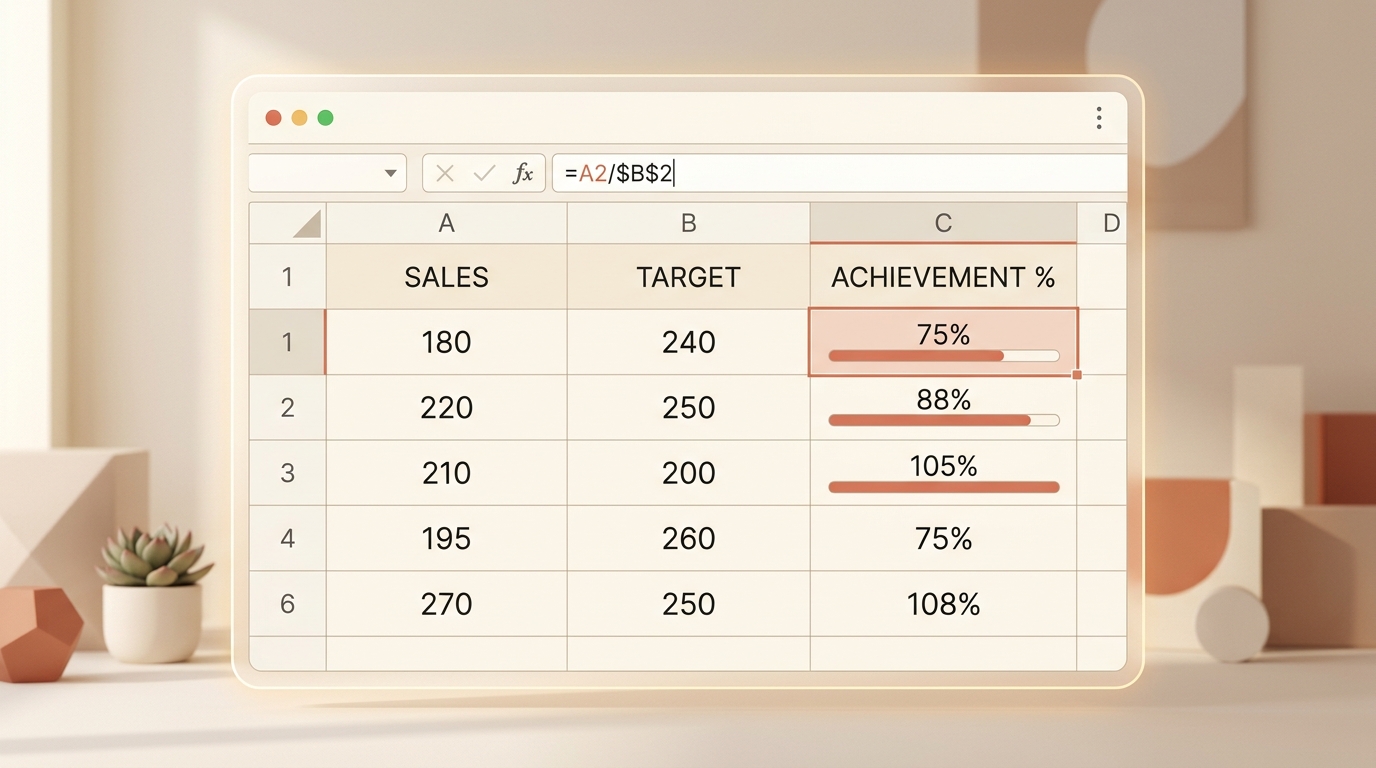
Excel Spreadsheet Percentage Formula Interface
Visualizing dynamic Excel percentage formulas with cell referencing and conditional achievement data bars.

Excel stores percentages as underlying decimal fractions between 0 and 1. When you enter 25%, Excel stores 0.25 internally. When you apply the Percentage format, Excel handles visual multiplication for you.

Excel Rule
Formula: =Part / Total → Then press Ctrl + Shift + %

Formula 1: Calculate Percentage of a Total

Suppose column A contains departmental expenses and cell A10 contains the total sum (=SUM(A2:A9)). To find each department’s share:

Enter in cell B2: =A2/$A$10. The dollar signs freeze cell A10 so you can drag the formula down.

If you need quick verification outside Excel, test your figures on our Ratio Tool.

Formula 2: Percentage Increase or Decrease

To compute growth between last year’s sales (A2) and this year’s sales (B2):

Enter: =(B2 - A2) / A2, then format as Percentage. If sales increased from 500 to 650, Excel will cleanly display 30.0%.

Formula 3: Applying a Percentage to an Amount

To calculate a 7.5% sales tax on an order of $120 in cell A2: =A2 * 0.075 (or =A2 * 7.5%). To calculate total price with tax: =A2 * (1 + 0.075).

Validate your calculations with our online Percentage Calculator.

Frequently Asked Questions

Why does Excel show 2500% instead of 25%?
You likely wrote =(A2/B2)*100 and then applied the % format. In Excel, the % format automatically multiplies by 100. Write =A2/B2 and simply click the % button.
How do you freeze the total cell in an Excel percentage column?
Use an absolute cell reference with dollar signs: =A2/$A$10. This ensures that as you drag the formula down, the denominator stays locked on row 10.

Elena Rostova

Applied Mathematics & Quantitative Analysis Editor

Quantitative math specialist specializing in computational precision, educational math models, and client-side web tools.

Put These Formulas into Practice

Test any formula with custom numbers using our verified, in-browser mathematical calculators: