Understanding the percentage calculator difference is critical whenever you compare figures over time, assess sales performance, or measure laboratory variance.
Percentage Change vs. Percentage Difference
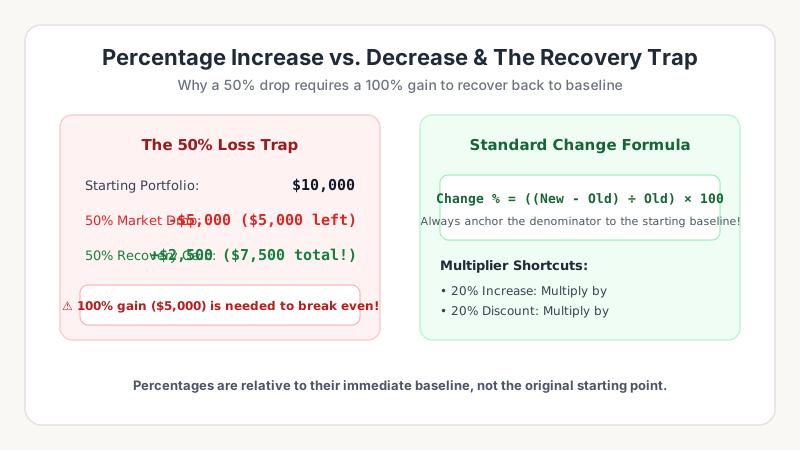
People often use “difference” and “change” interchangeably, but mathematically they address two distinct situations:
- Percentage Change: Used when there is a chronological order (an “Old” baseline and a “New” result). Example: revenue growth from Q1 to Q2.
- Percentage Difference: Used when comparing two simultaneous measurements where neither value is inherently prior to the other. In this case, the baseline is the average of both numbers.
The Percentage Change Formula
Percentage Change Formula
Percentage Change = ((New Value - Old Value) ÷ |Old Value|) × 100
Test your numbers with our dedicated Percentage Change Tool for instant calculations.
Step-by-Step Worked Examples
Example 1 (Price Increase): A subscription increases from $40/month to $50/month.
- Subtract Old from New: 50 - 40 = 10
- Divide by Old: 10 ÷ 40 = 0.25
- Multiply by 100: 0.25 × 100 = +25% increase
Example 2 (Discount Decrease): A gadget drops from $200 to $150.
- Subtract Old from New: 150 - 200 = -50
- Divide by Old: -50 ÷ 200 = -0.25
- Multiply by 100: -0.25 × 100 = -25% decrease
Common Pitfalls in Percentage Difference
The most common mistake is dividing by the New Value instead of the Old Value. Always anchor your denominator to the starting baseline! If you want to check proportions without differences, use our Main Percentage Calculator.